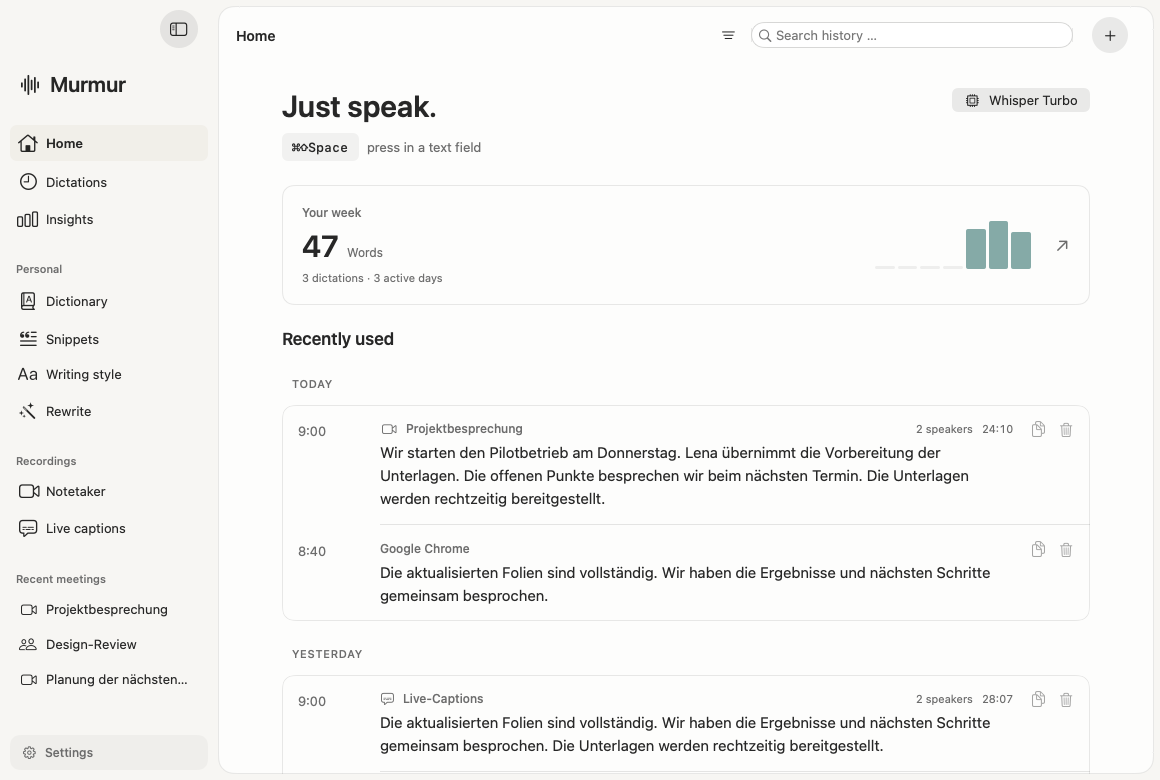
I talk faster than I type, and I spend a lot of my day writing to people and to AI models. Cloud dictation tools are great, but they send every word you say to someone else's server. Murmur is my answer: a native macOS app that turns speech into text in any app, with the speech model running on my own machine.
Why build my own?
There are plenty of dictation tools for the Mac by now, and I tried a lot of them: paid apps, cloud services and local, open-source ones. Each of them got something right, and each of them was missing something I needed.
One thing was non-negotiable: the speech recognition had to run on my own machine. I didn't want every word I say to end up on someone else's server.
So I built my own, from scratch. It borrows good ideas from tools that already exist, but it finally puts everything I want in one place:
- Every local model, side by side. I can try any local speech model and keep the one that works best for the job.
- New models arrive on their own. When a new model comes out, Murmur can pull it in automatically.
- Features nobody else has, because I need them. Live translation, for example: I dictate in German, and Murmur pastes the English text.
What it does
Dictation anywhere.
- Press a shortcut in any text field, speak, release.
- Murmur transcribes, optionally cleans up the text, and pastes it where the cursor was.
- Your clipboard is saved first and restored afterwards. A copy you make in the meantime always wins.
A choice of local speech models.
- Whisper (via whisper.cpp), Apple's own speech recognition, and newer MLX models such as Parakeet and Qwen3-ASR.
- You choose per task. Fast and small for quick notes, large and accurate for long meetings.
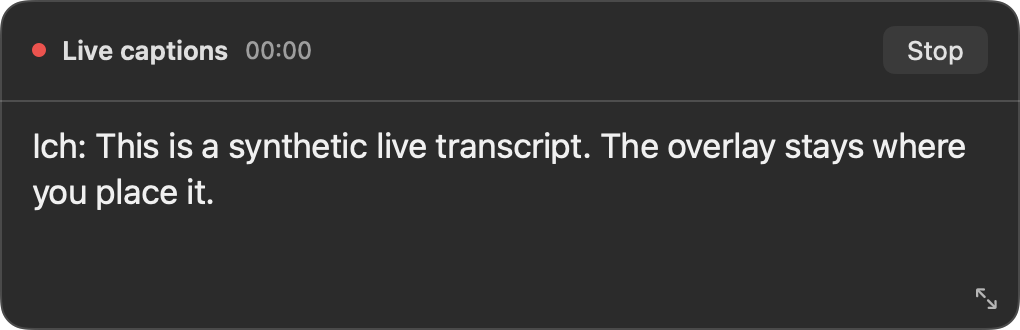
Live captions.
- A floating caption window for the microphone, the system audio, or both.
- You can limit system audio to a single app.
Meeting notes.
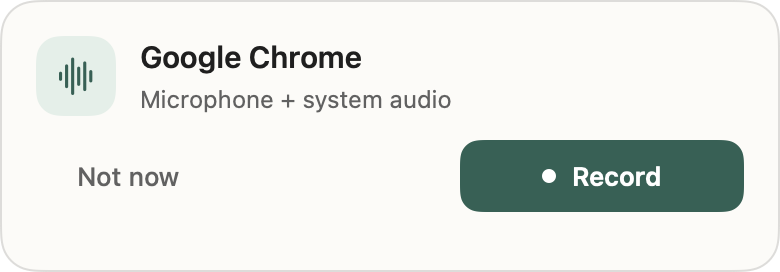
- Murmur notices when you are in a video call. It reads the call controls of the meeting window locally; it does not inject scripts into the browser.
- Then it asks once whether to record.
- The result is a transcript with speakers, an optional video of the meeting window, and a summary.
Your own words.
- A dictionary for names and jargon, text snippets ("my address", "sign-off"), writing styles and saved rewrite prompts.
- AI rewriting is off by default. When you turn it on, it uses the provider you pick: a local model via Ollama or LM Studio, or an API you configure. There is no silent cloud fallback.
Insights.
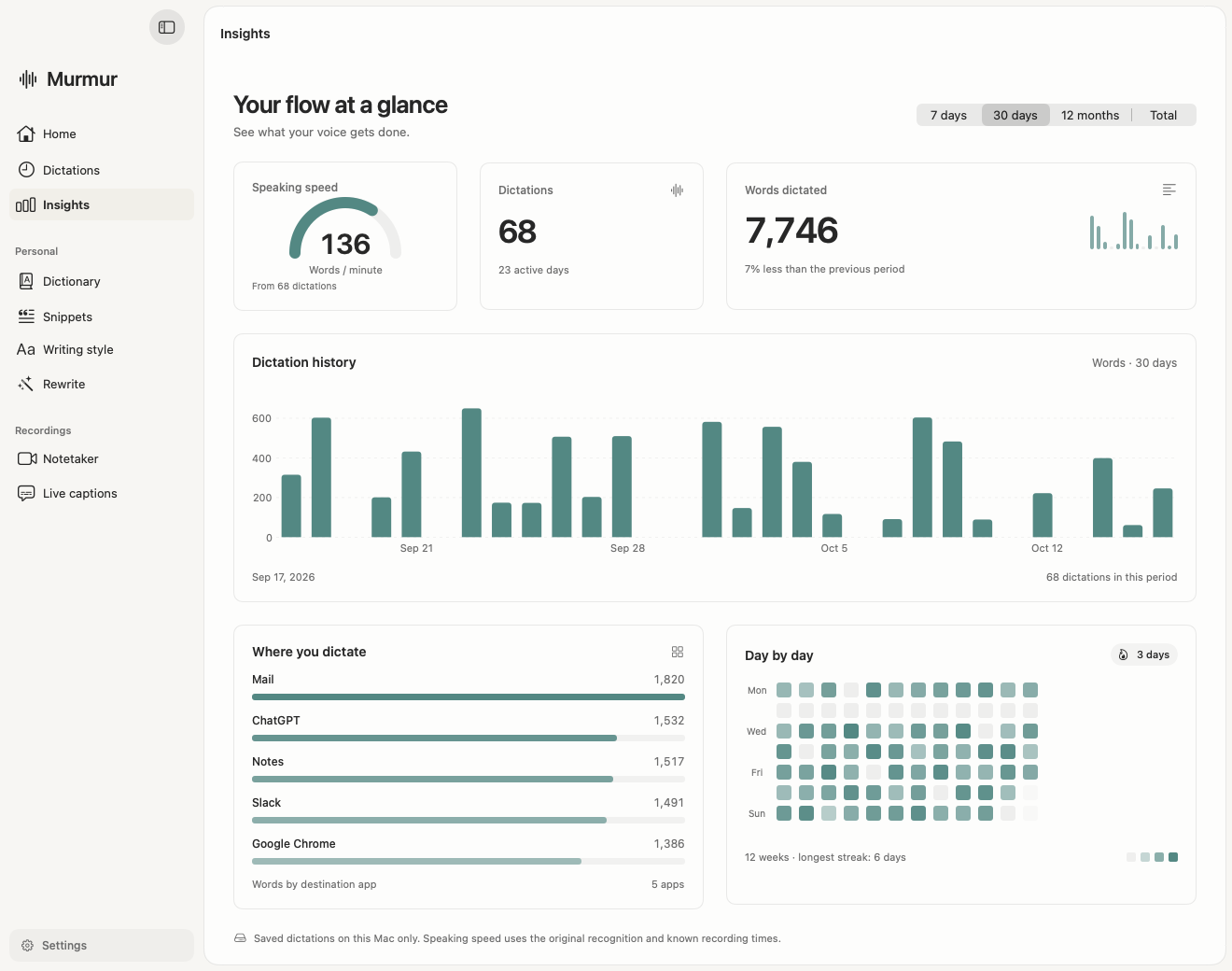
- Speaking speed, words per day, and which apps you dictate into.
- Every number comes from your own saved history. None of them are estimates.
Privacy by default
- Audio and transcripts stay on the Mac. Models are downloaded once and run locally.
- Diagnostic logs record events, never content: no transcripts, prompts, account names or URLs.
- Meeting detection reads the accessibility tree of the meeting window. It does not take screenshots and does not read text fields.
- Nothing goes to a language model unless you explicitly switch that feature on and choose the provider.
How it was built
Murmur was written almost entirely with AI coding agents, over more than 30 releases so far. What made that work:
- Evidence with every release. Releases ship with a validation report: what was tested, what wasn't, and which manual checks remain. "It compiles" is never the claim.
- Synthetic fixtures for every screen. All screenshots on this page are rendered from fake data, in light and dark mode, German and English, at the smallest and the largest window size.
- Review rounds. Several different AI models review the app independently until they all agree it's ready (see How I build with AI).
Status
Murmur is my daily dictation tool, and a public release is on the way. The next step is a signed and notarized build, so the app runs on other Macs without security warnings.
It will never really be finished, though. I keep building on it with every release: making it leaner, making it more robust, adding what I miss. It's probably a forever project, and I'm fine with that.
Native Swift, no Electron. Speech models: whisper.cpp, Apple Speech, MLX.